
Count without opening the app
Four ways that never need the app to open.
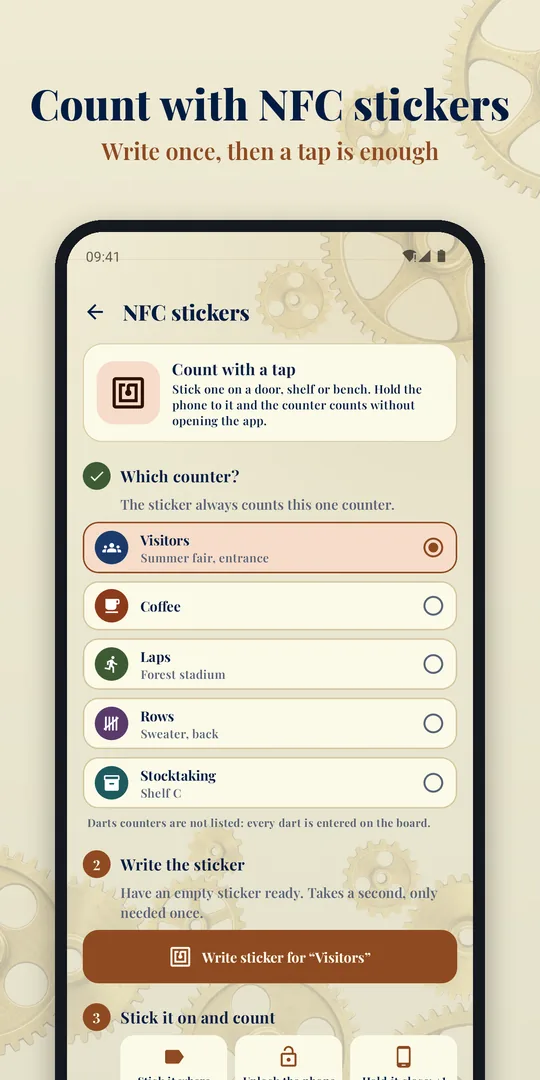
NFC sticker
Write an empty sticker once and stick it on a door frame, a shelf or a weight rack. Holding your phone to it counts one step, without taking off your gloves and without looking. Only the counter's internal ID goes on the sticker, no name and no count.
Quick Settings tile
Count from the notification shade, over any other app. Two swipes from anywhere, even from inside another app.
Widget
A counter right on the home screen.
Notification
A counter in the notification shade, with plus and minus buttons.
What the app looks like
Designed like a ledger: laid paper, brass and a clockwork in the background.

Counting that stays out of the way
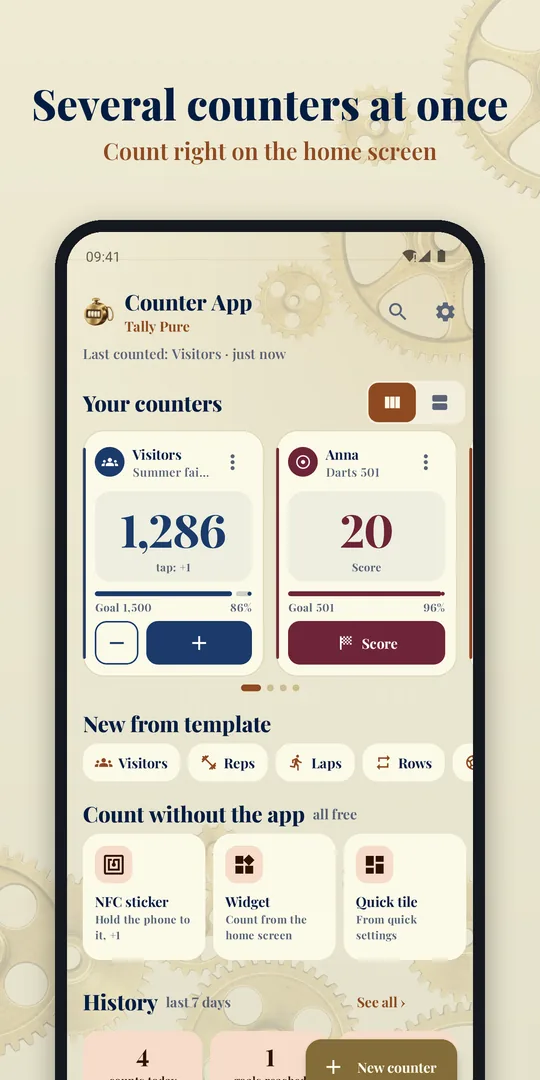
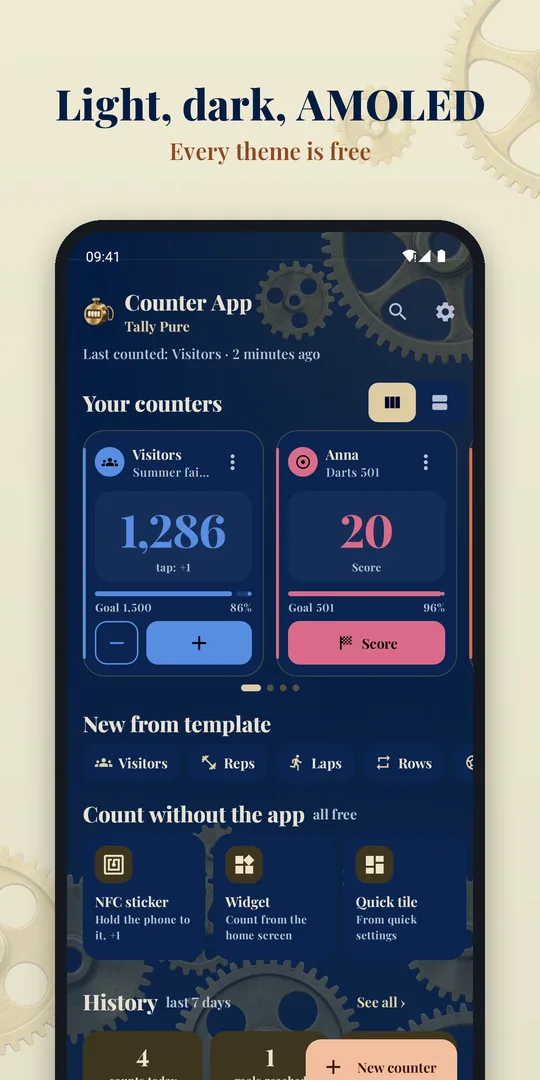
Several counters at once
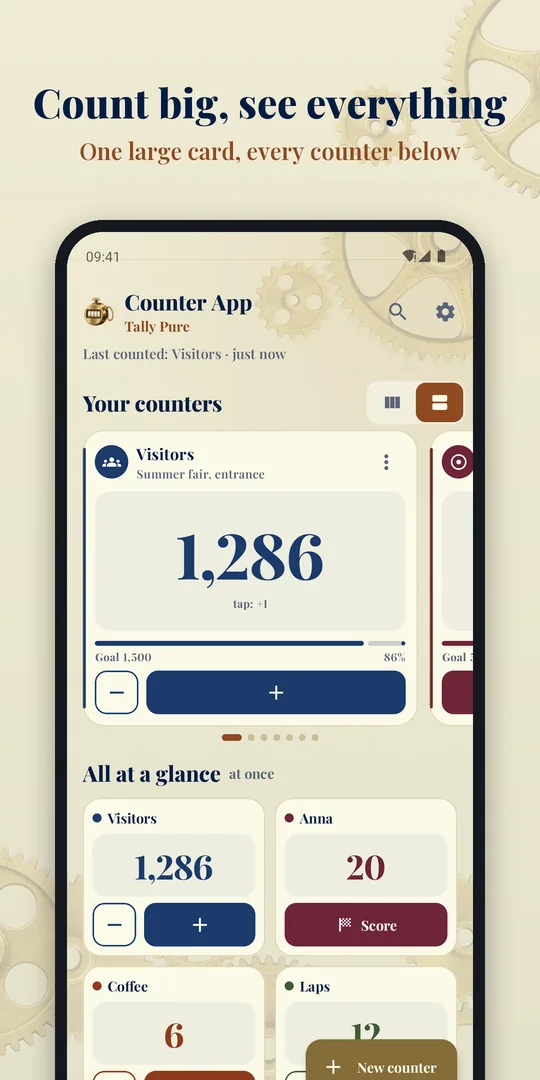
Use your counters right on the home screen, without opening them first. Two cards side by side, or one large card with every counter below it as a tile. The number stays fully readable even with six digits.
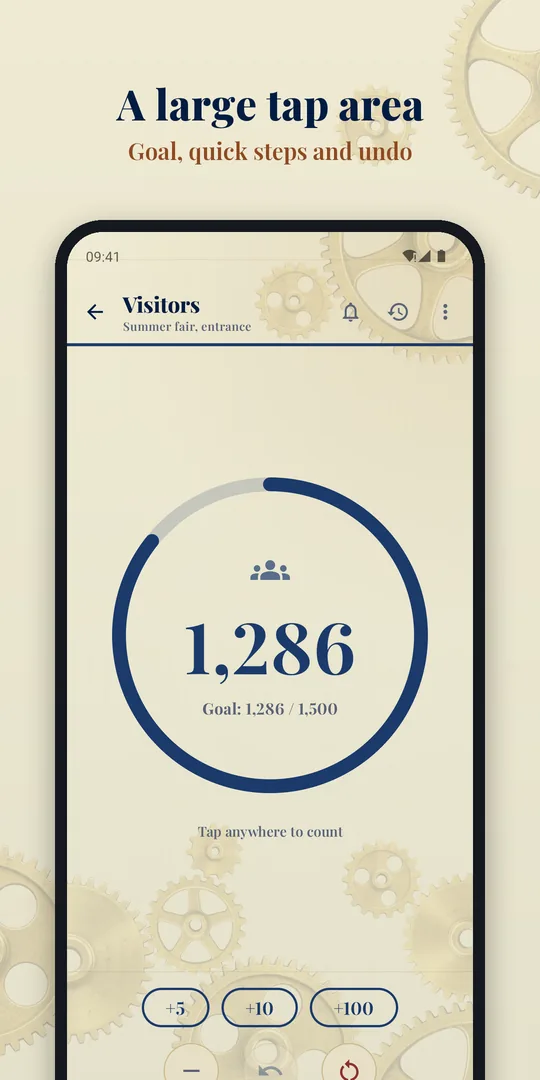
Large tap area
Inside a counter, every tap on the screen counts. The screen stays awake while you count, and there is Undo for the one tap too many.
Without looking
The volume keys count up and down. Plus haptic feedback if you want it.
Quick steps
For large amounts: +5, +10, +100. Every counter has its own step size.
Goals
A goal value with a progress ring and a notification when you reach it.
History
Counts today, goals reached and days in a row sit on the home screen, with a bar chart of the last seven days. Inside a counter you see every count with its time.
Fourteen templates
Tap one and the name, colour, icon and step size are set. You can change everything afterwards.
- Visitors
- Reps
- Laps
- Rows
- Goals
- Points
- Drinks
- Coffee
- Water
- Stocktaking
- Prayer beads
- Countdown
- Darts 501
- Darts 301
Every counter counts up, or down from a starting value towards zero. That turns the tally list into a countdown for portions or a record of stock left.
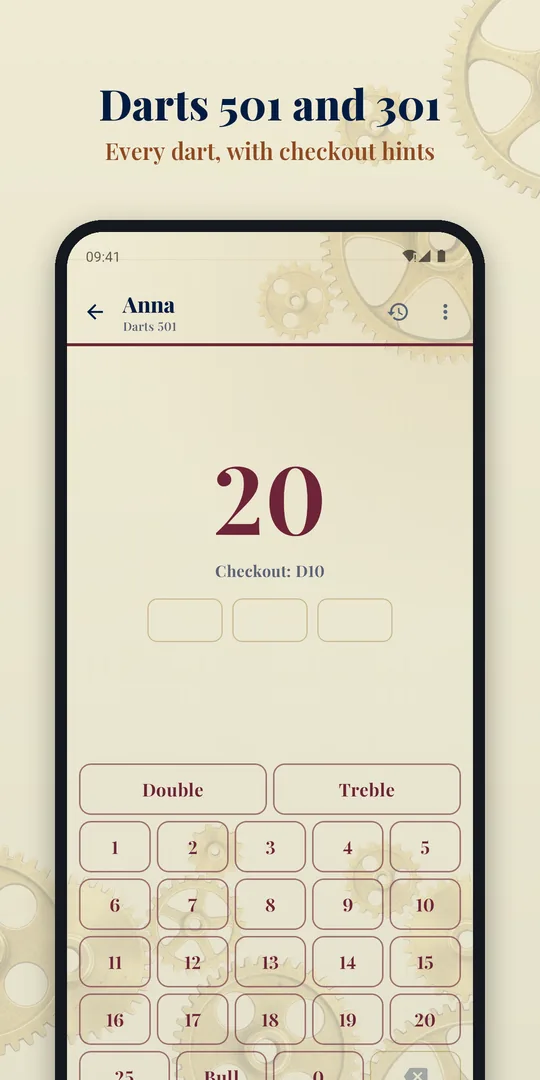
Darts 501 and 301
20A board of its own for every dart: single, double, triple, bull. With checkout hints, bust and double out.
Free and Pro
Counting is free, with no time limit and no ads. Pro is a one-time purchase, not a subscription.
Free: three counters
- Widget, tile, NFC and notification
- Undo, goals and all fourteen templates
- Darts 501 and 301
- Every theme: light, dark, AMOLED and Material You
Pro, one-time purchase
- Unlimited counters
- Categories: sort counters into colour-coded groups
- Full history with statistics across day, week and month
- CSV export through the share sheet
- Backup and restore to a file
Your data stays on your device
No analytics, no account, no sign-up, no advertising IDs. Every counter lives only on your device. The only internet connection is the Pro purchase through Google Play.
Permissions: notifications for the goal alert and the counter notification, vibration for the haptic feedback, NFC for the stickers, and internet and billing for the Pro purchase. No camera, no microphone, no location, no contacts, no access to your files.
Frequently asked questions
What do I need NFC stickers for, and where do I get them?
They are passive stickers without a battery, from about five euros for a pack of ten. They are worth it wherever a counter belongs to a place rather than to the home screen: on the door frame at an entrance, on a shelf compartment in the warehouse, on the pill box. The app works fully without stickers.
What happens to the history when I reset a counter?
Nothing. A reset is not a count event, and deleting the history along with it would destroy the statistics. The reset itself asks for confirmation first and can still be undone afterwards.
Can a very high count crash the app?
No. Every addition goes through one shared place in the code, which caps the value at twelve digits and catches an overflow.
Which Android version does the app need?
Android 8.0 or later. The NFC stickers need a device with an NFC reader. If there is none, the app hides the feature.
Is the app available for iPhone?
Not at the moment. The app is built for Android, and the NFC and tile features would have no counterpart on iOS.